
Your own Claude second brain, on your own computer
A free guide to turn Claude Code into a second brain that remembers where you left off. Plain files, git and two small hooks. No extra app, no extra subscription.
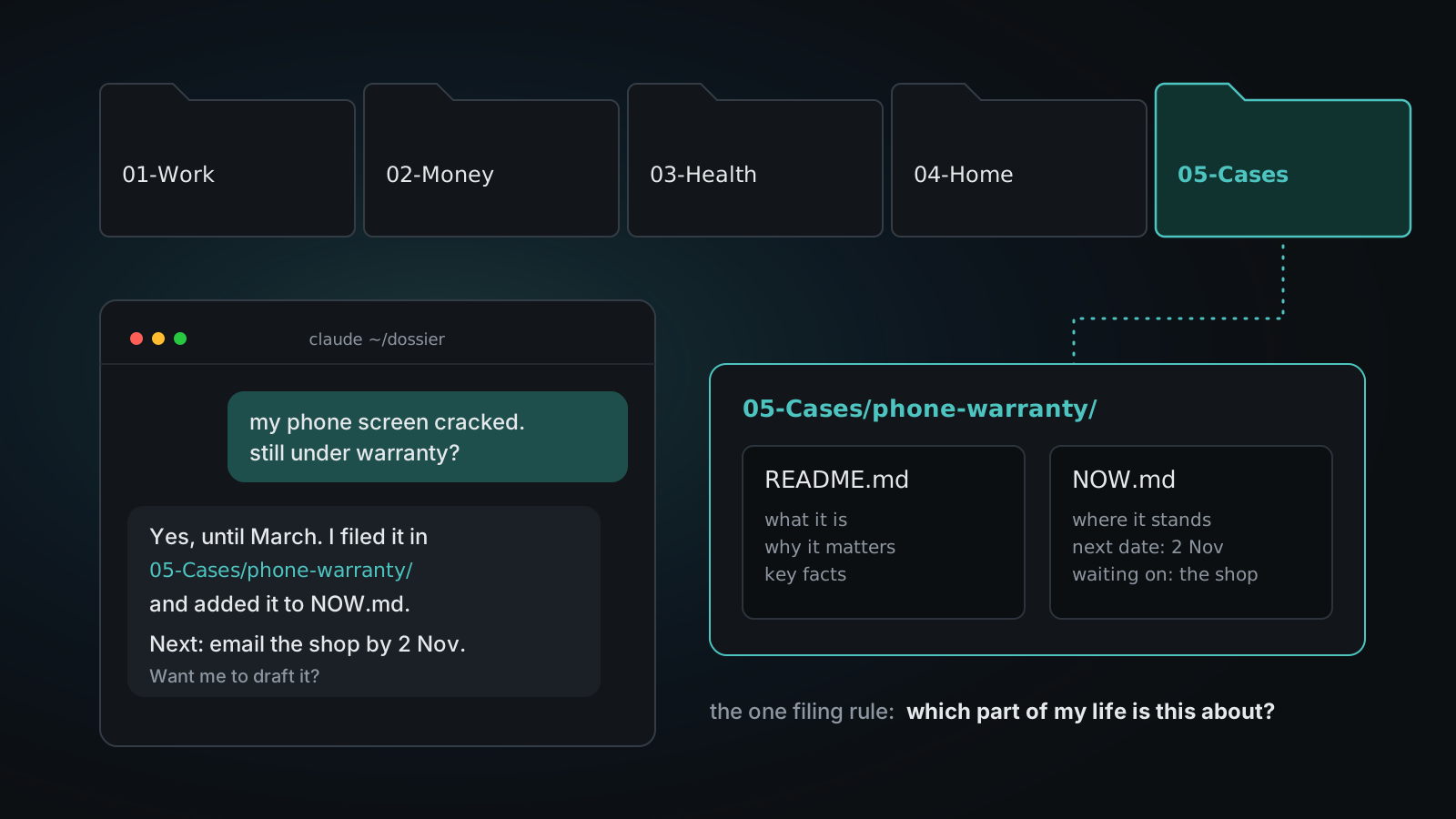
Skip the reading: paste this into Claude Code
Claude downloads the starter, asks you a few short questions, and sets everything up with you. Read on for the how and why.
Set up my personal dossier: a second brain for Claude Code that lives on my own computer.

1. Download https://github.com/clickspider/dossier-starter/archive/refs/heads/main.zip and unzip it to ~/dossier.
   If the download fails, build the same structure yourself from https://www.danielfrey.me/guides/claude-second-brain/
2. Read ~/dossier/SETUP.md and follow it with me.
3. Interview me one short question at a time. Wait for my answer before the next one.
4. Ask me before anything leaves my computer.
In 10 seconds: every Claude chat starts where the last one stopped. It all lives in one folder of plain files on your own computer. Paste the prompt above and Claude sets it up with you.
Every few weeks a new app promises to be your AI second brain. It syncs your notes to its cloud, it works great for a month, and then it asks for a subscription on top of the AI you already pay for.
You don't need it. Claude Code can already be that brain, on your own computer, with plain text files you can read yourself. I run my whole life admin this way: job search, bills, my calendar, and a few long admin fights. Every new chat starts where the last one stopped. I never explain myself twice.
This guide has two parts. Part 1, this page, sets up your dossier and its memory, with a free starter template at the end. Part 2 puts that same Claude in your WhatsApp, without a third party reading your messages.
What you need
- Claude Code (the terminal app, the desktop app or the IDE extension).
git, for history and backup.- One folder. That's it. No database, no extra account, no extra service.
The five pieces
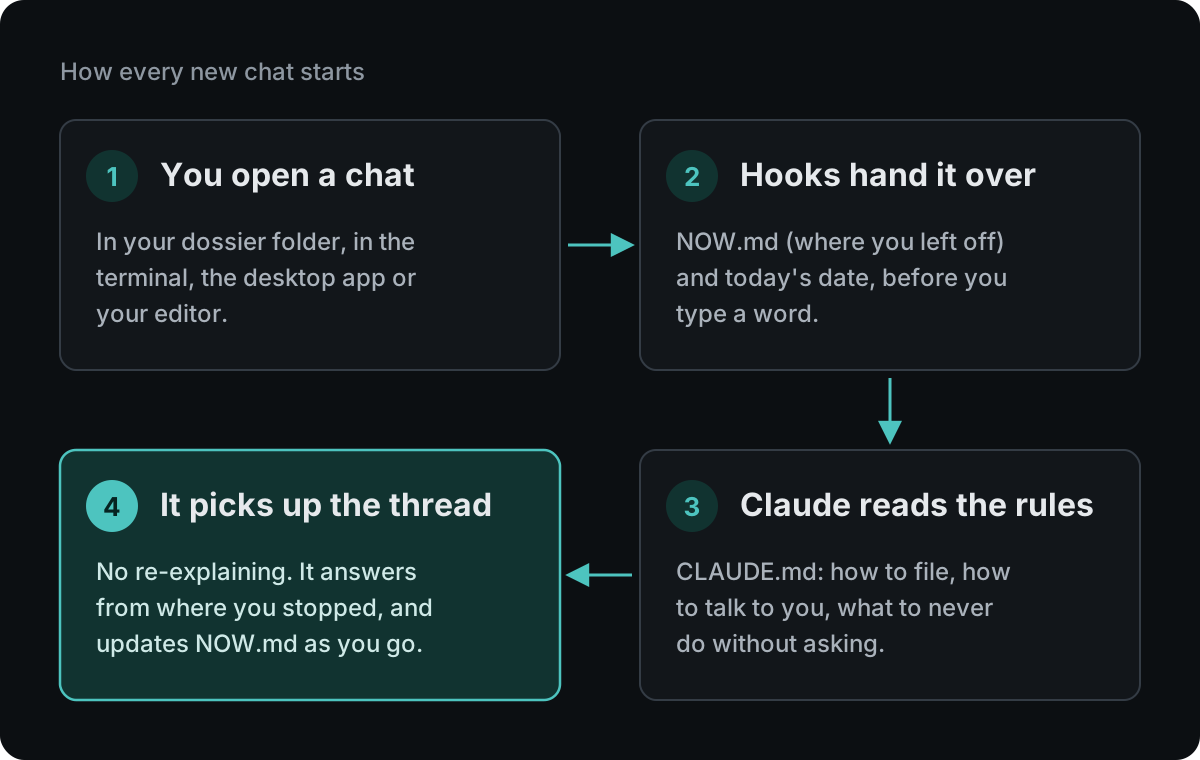
1. CLAUDE.md: the house rules
Claude Code reads a file called CLAUDE.md at the start of every chat in that folder. Put your rules there: how to file things, how to talk to you, what to never do without asking. Keep each rule short and dated, so you know why it exists.
2. NOW.md: where we left off
One short file with only what is live: today, the next dates, what you are waiting on. A rule in CLAUDE.md tells Claude to update it whenever something opens or closes. Keep it under 40 lines, because a long state file is a stale state file.
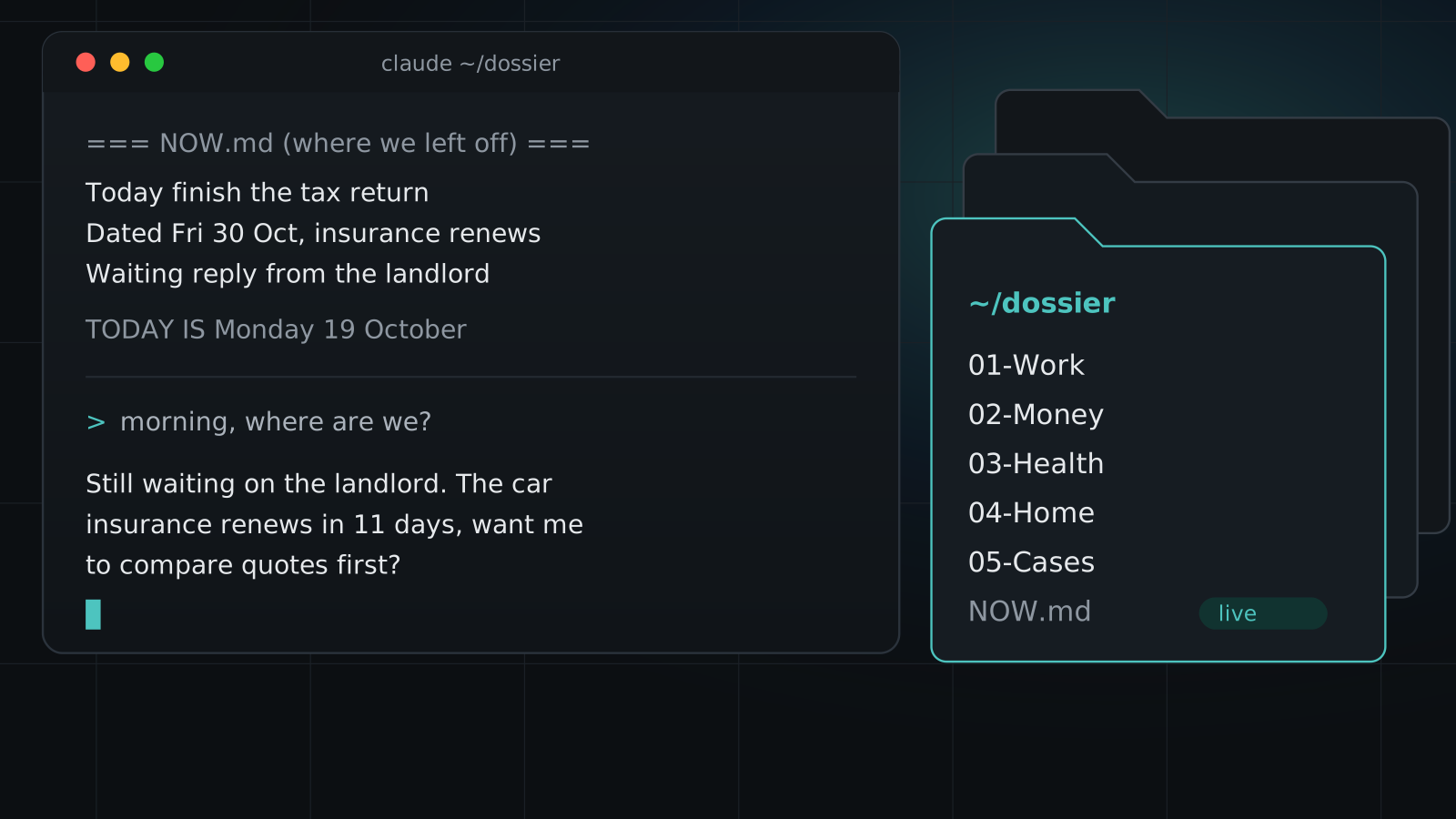
3. A start hook that hands Claude your NOW.md
Claude Code hooks run a small script at fixed moments. A SessionStart hook prints NOW.md, and Claude gets it as context before you type anything. This is the piece that makes a new chat feel like the same conversation.
#!/bin/bash
cd "$CLAUDE_PROJECT_DIR" || exit 0
echo "=== NOW.md (where we left off) ==="
cat NOW.md
4. A date hook
Models often guess the date, and guess wrong. A UserPromptSubmit hook prints today's date on every message. One line in .claude/settings.json fixes a whole class of mistakes in logs, file names and reminders.
5. backup.sh: git as memory
Every change becomes a commit. You can see what changed, when, and undo anything. If you want a cloud copy, push to a private repo. This folder will hold your health, money and family notes, so treat it like a diary.
The one rule that makes it compound
When you and Claude agree on something ("from now on, always..."), Claude writes it down in the same turn: in CLAUDE.md or in the right topic file. You never have to ask "is this saved?". After a month, the rules are yours, written in your words, and every new chat follows them.
Where things live
Good structure lets Claude find the right file in one step instead of searching your whole life.
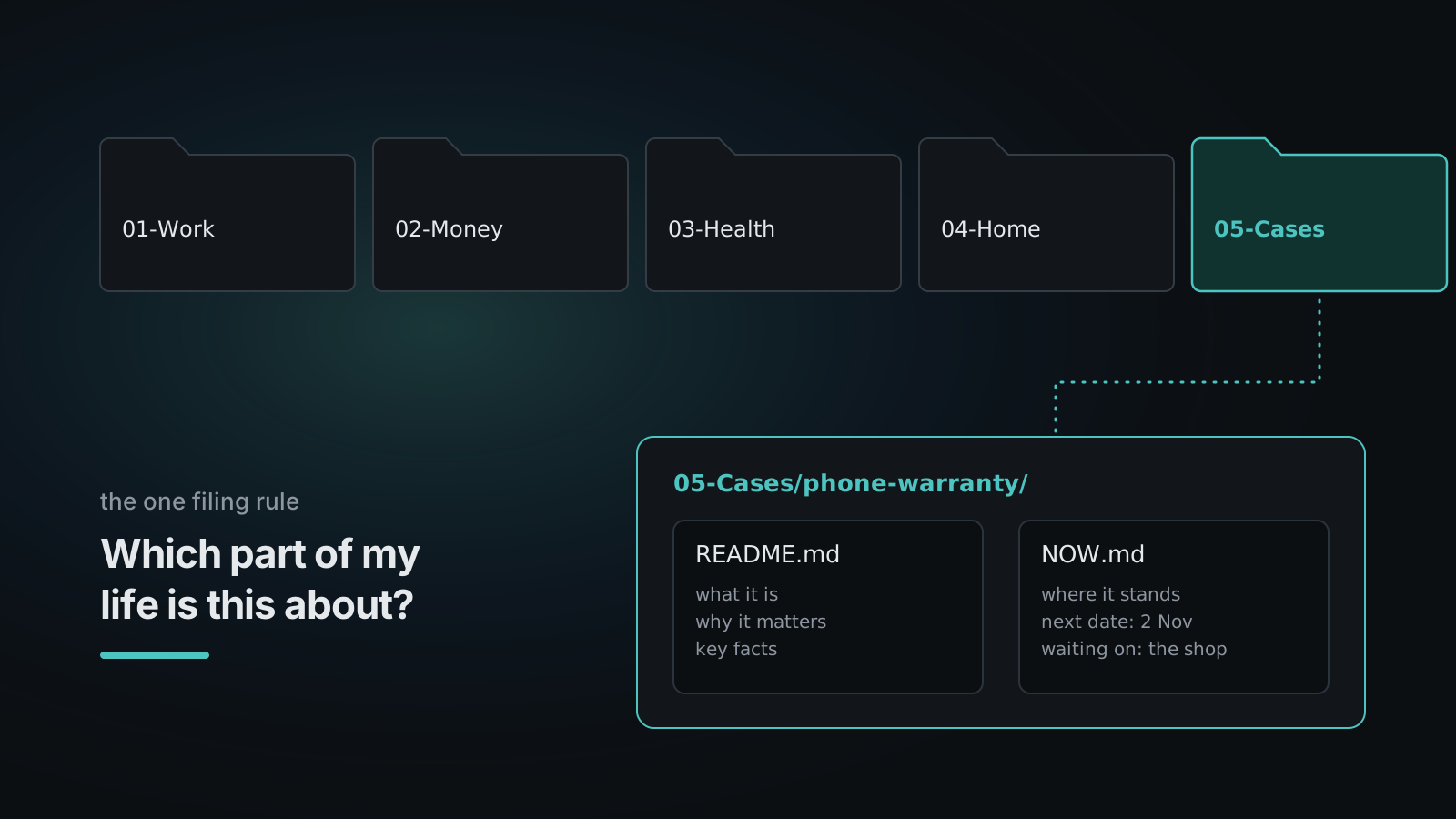
The one filing rule
Ask: "Which part of my life is this about?" Put it on that shelf. One topic, one home, never two copies.
The shelves
dossier/
├── CLAUDE.md        house rules
├── NOW.md           where we left off (max ~40 lines)
├── backup.sh        every change becomes a git commit
├── 01-Work/         job, side projects, CV, applications
├── 02-Money/        budget, bills, subscriptions, taxes
├── 03-Health/       doctor visits, medication, training
├── 04-Home/         house, car, contracts, maintenance
├── 05-Cases/        claims, disputes, warranties, one folder each
└── _archive/        old files. Never delete, move here
Numbers keep the order fixed, so the folder reads like your priorities. Rename them to fit your life: 06-Family, 07-Study, whatever is real for you.
Every topic gets a home
A topic that is more than a one-off question gets its own folder with two files:
05-Cases/
└── phone-warranty/
    ├── README.md    what it is, why it matters, key facts
    └── NOW.md       where it stands, the next date, who we wait on
Claude creates these by itself the first time a topic comes up, and adds one line to the Topics list in the root NOW.md. Next time you mention it, Claude reads that folder first.
Five habits that keep it trustworthy
- Root
NOW.mdholds only live items. History goes into the topic folders. - Files are the source of truth. For health, money and legal facts, Claude reads the file and cites the date and number. Never from memory.
- Downloads is an inbox, not storage. Anything that matters gets filed the same day.
- Write first, then say it. The rule: Claude saves the file first, then tells you. No "I will save this".
- A 10-minute weekly review. Ask Claude: "Which NOW files are older than a week?" Close them or update them.
Download the starter
The template has the shelves, CLAUDE.md rules, NOW.md, both hooks and backup.sh. No personal data, MIT license.
- Code and files: github.com/clickspider/dossier-starter
- Direct zip: dossier-starter main.zip
- Or let Claude do it: copy the prompt at the top of this page into Claude Code. Claude asks you a few short questions, fills in your first
NOW.mdand makes the first backup. Then open a new chat in~/dossier: it starts with yourNOW.md. That is the moment it clicks.
Next: Part 2, Claude on WhatsApp.